
 Posted By
Bajarangi soft ,
Posted On 05-11-2020
Posted By
Bajarangi soft ,
Posted On 05-11-2020
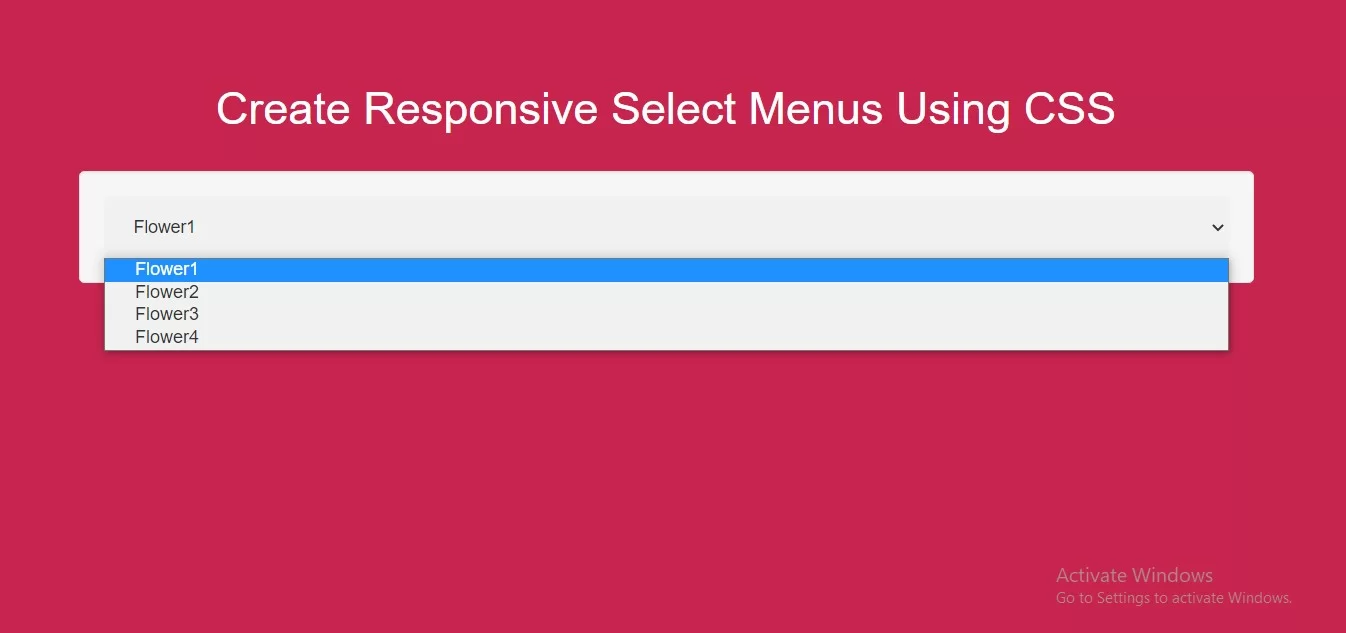
Complete Code For Creating Responsive Select Menus Using CSS.
Create Index.html and implement below code in it.
<!DOCTYPE html>
<html>
<head>
    <title>How Can I Create Responsive Select Menus Using CSS</title>
    <meta name="viewport" content="width=device-width, initial-scale=1.0">
    <link rel="stylesheet" href="https://maxcdn.bootstrapcdn.com/bootstrap/3.3.6/css/bootstrap.min.css"/>

</head>
<style>
    body {
        background: #c7254e;
    }
    select {
        width: 100%;
        padding: 16px 20px;
        border: none;
        border-radius: 4px;
        background-color: #f1f1f1;
    }
</style>
<body>
<br/><br/>
<div class="container">
    <br>
    <div class="text-center">
        <h1 id="color" style="color: white;">Create Responsive Select Menus Using CSS</h1>
    </div>
    <br>
    <div class="well">
        <form>
            <select id="flower" name="flower">
                <option value="1">Flower1</option>
                <option value="2">Flower2</option>
                <option value="3">Flower3</option>
                <option value="4">Flower4</option>
            </select>
        </form>
    </div>
    <br>
</div>
</body>
</html>