
 Posted By
Bajarangi soft ,
Posted On 05-11-2020
Posted By
Bajarangi soft ,
Posted On 05-11-2020
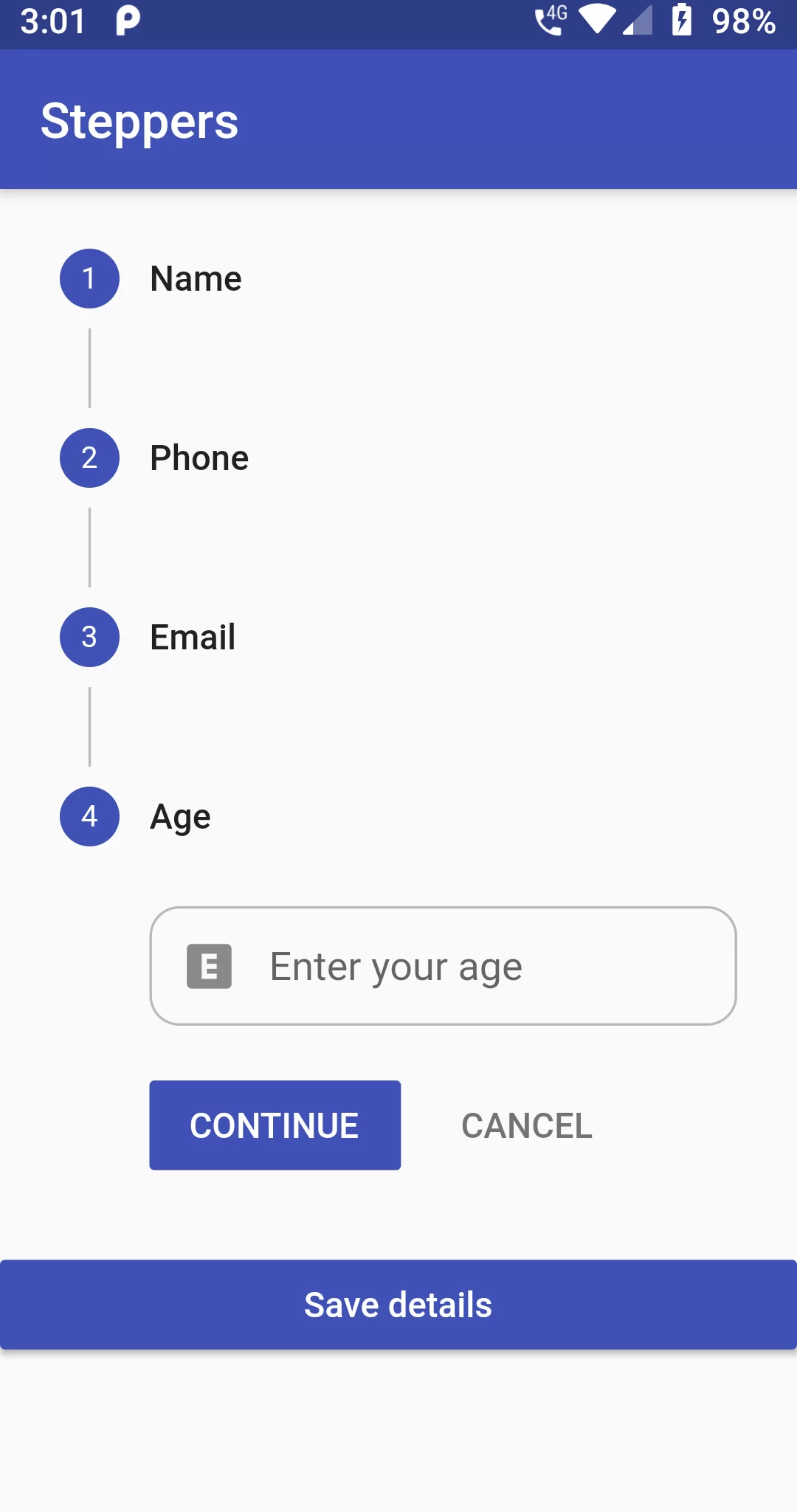
Form Steppers
Complete Code For Form Steppers In Flutter
main.dart
import 'package:flutter/material.dart';

void main() {
  runApp(new MyApp());
}

class MyApp extends StatefulWidget {
  @override
  State<StatefulWidget> createState() {
    return new MyAppScreenMode();
  }
}

class MyData {
  String name = '';
  String phone = '';
  String email = '';
  String age = '';
}

class MyAppScreenMode extends State<MyApp> {
  @override
  Widget build(BuildContext context) {
    return new MaterialApp(
      debugShowCheckedModeBanner: false,
        theme: new ThemeData(
          primarySwatch: Colors.indigo,
        ),
        home: new Scaffold(
          appBar: new AppBar(
            title: new Text('Form Steppers'),
          ),
          body: new StepperBody(),
        ));
  }
}

class StepperBody extends StatefulWidget {
  @override
  _StepperBodyState createState() => new _StepperBodyState();
}

class _StepperBodyState extends State<StepperBody> {
  int currStep = 0;
  static var _focusNode = new FocusNode();
  GlobalKey<FormState> _formKey = new GlobalKey<FormState>();
  static MyData data = new MyData();

  @override
  void initState() {
    super.initState();
    _focusNode.addListener(() {
      setState(() {});
      print('Has focus: $_focusNode.hasFocus');
    });
  }

  @override
  void dispose() {
    _focusNode.dispose();
    super.dispose();
  }

  List<Step> steps = [
    new Step(
        title: const Text('Name'),
        //subtitle: const Text('Enter your name'),
        isActive: true,
        //state: StepState.error,
        state: StepState.indexed,
        content: new TextFormField(
          focusNode: _focusNode,
          keyboardType: TextInputType.text,
          autocorrect: false,
          onSaved: (String value) {
            data.name = value;
          },
          maxLines: 1,
          //initialValue: 'Aseem Wangoo',
          validator: (value) {
            if (value.isEmpty || value.length < 1) {
              return 'Please enter name';
            }
          },
          decoration: new InputDecoration(
              enabledBorder: OutlineInputBorder(
                borderRadius: BorderRadius.all(Radius.circular(12.0)),
                borderSide: BorderSide(color: Colors.black26),
              ),
              focusedBorder: OutlineInputBorder(
                borderRadius: BorderRadius.all(Radius.circular(12.0)),
                borderSide: BorderSide(color: Colors.grey),
              ),
              labelText: 'Enter your name',
              hintText: 'Enter a name',
              prefixIcon: const Icon(Icons.person),
              //filled: true,
              labelStyle:
              new TextStyle(decorationStyle: TextDecorationStyle.solid)),
        )),
    new Step(
        title: const Text('Phone'),
        //subtitle: const Text('Subtitle'),
        isActive: true,
        //state: StepState.editing,
        state: StepState.indexed,
        content: new TextFormField(
          keyboardType: TextInputType.phone,
          autocorrect: false,
          validator: (value) {
            if (value.isEmpty || value.length < 10) {
              return 'Please enter valid number';
            }
          },
          onSaved: (String value) {
            data.phone = value;
          },
          maxLines: 1,
          decoration: new InputDecoration(
              enabledBorder: OutlineInputBorder(
                borderRadius: BorderRadius.all(Radius.circular(12.0)),
                borderSide: BorderSide(color: Colors.black26),
              ),
              focusedBorder: OutlineInputBorder(
                borderRadius: BorderRadius.all(Radius.circular(12.0)),
                borderSide: BorderSide(color: Colors.grey),
              ),
              labelText: 'Enter your number',
              hintText: 'Enter a number',
              prefixIcon: const Icon(Icons.phone),
              labelStyle:
              new TextStyle(decorationStyle: TextDecorationStyle.solid)),
        )),
    new Step(
        title: const Text('Email'),
        // subtitle: const Text('Subtitle'),
        isActive: true,
        state: StepState.indexed,
        // state: StepState.disabled,
        content: new TextFormField(
          keyboardType: TextInputType.emailAddress,
          autocorrect: false,
          validator: (value) {
            if (value.isEmpty || !value.contains('@')) {
              return 'Please enter valid email';
            }
          },
          onSaved: (String value) {
            data.email = value;
          },
          maxLines: 1,
          decoration: new InputDecoration(
              enabledBorder: OutlineInputBorder(
                borderRadius: BorderRadius.all(Radius.circular(12.0)),
                borderSide: BorderSide(color: Colors.black26),
              ),
              focusedBorder: OutlineInputBorder(
                borderRadius: BorderRadius.all(Radius.circular(12.0)),
                borderSide: BorderSide(color: Colors.grey),
              ),
              labelText: 'Enter your email',
              hintText: 'Enter a email address',
              prefixIcon: const Icon(Icons.mail),
              labelStyle:
              new TextStyle(decorationStyle: TextDecorationStyle.solid)),
        )),
    new Step(
        title: const Text('Age'),
        // subtitle: const Text('Subtitle'),
        isActive: true,
        state: StepState.indexed,
        content: new TextFormField(
          keyboardType: TextInputType.number,
          autocorrect: false,
          validator: (value) {
            if (value.isEmpty || value.length > 2) {
              return 'Please enter valid age';
            }
          },
          maxLines: 1,
          onSaved: (String value) {
            data.age = value;
          },
          decoration: new InputDecoration(
              enabledBorder: OutlineInputBorder(
                borderRadius: BorderRadius.all(Radius.circular(12.0)),
                borderSide: BorderSide(color: Colors.black26),
              ),
              focusedBorder: OutlineInputBorder(
                borderRadius: BorderRadius.all(Radius.circular(12.0)),
                borderSide: BorderSide(color: Colors.grey),
              ),
              contentPadding: EdgeInsets.all(4),
              labelText: 'Enter your age',
              hintText: 'Enter age',
              prefixIcon: const Icon(Icons.explicit),
              labelStyle:
              new TextStyle(decorationStyle: TextDecorationStyle.solid)),
        )),
  ];

  @override
  Widget build(BuildContext context) {
    void showSnackBarMessage(String message,
        [MaterialColor color = Colors.red]) {
      Scaffold
          .of(context)
          .showSnackBar(new SnackBar(content: new Text(message)));
    }

    void _submitDetails() {
      final FormState formState = _formKey.currentState;

      if (!formState.validate()) {
        showSnackBarMessage('Please enter correct data');
      } else {
        formState.save();
        print("Name: ${data.name}");
        print("Phone: ${data.phone}");
        print("Email: ${data.email}");
        print("Age: ${data.age}");

        showDialog(
            context: context,
            child: new AlertDialog(
              title: new Text("Details"),
              //content: new Text("Hello World"),
              content: new SingleChildScrollView(
                child: new ListBody(
                  children: <Widget>[
                    new Text("Name : " + data.name),
                    new Text("Phone : " + data.phone),
                    new Text("Email : " + data.email),
                    new Text("Age : " + data.age),
                  ],
                ),
              ),
              actions: <Widget>[
                new FlatButton(
                  child: new Text('OK'),
                  onPressed: () {
                    Navigator.of(context).pop();
                  },
                ),
              ],
            ));
      }
    }

    return new Container(
        child: new Form(
          key: _formKey,
          child: new ListView(children: <Widget>[
            new Stepper(
              steps: steps,
              type: StepperType.vertical,
              currentStep: this.currStep,
              onStepContinue: () {
                setState(() {
                  if (currStep < steps.length - 1) {
                    currStep = currStep + 1;
                  } else {
                    currStep = 0;
                  }
                });
              },
              onStepCancel: () {
                setState(() {
                  if (currStep > 0) {
                    currStep = currStep - 1;
                  } else {
                    currStep = 0;
                  }
                });
              },
              onStepTapped: (step) {
                setState(() {
                  currStep = step;
                });
              },
            ),
            Container(
              child: new RaisedButton(
                child: new Text(
                  'Save details',
                  style: new TextStyle(color: Colors.white),
                ),
                onPressed: _submitDetails,
                color: Colors.indigo,
              ),
            ),
          ]),
        ));
  }
}