
 Posted By
Bajarangi soft ,
Posted On 30-10-2020
Posted By
Bajarangi soft ,
Posted On 30-10-2020
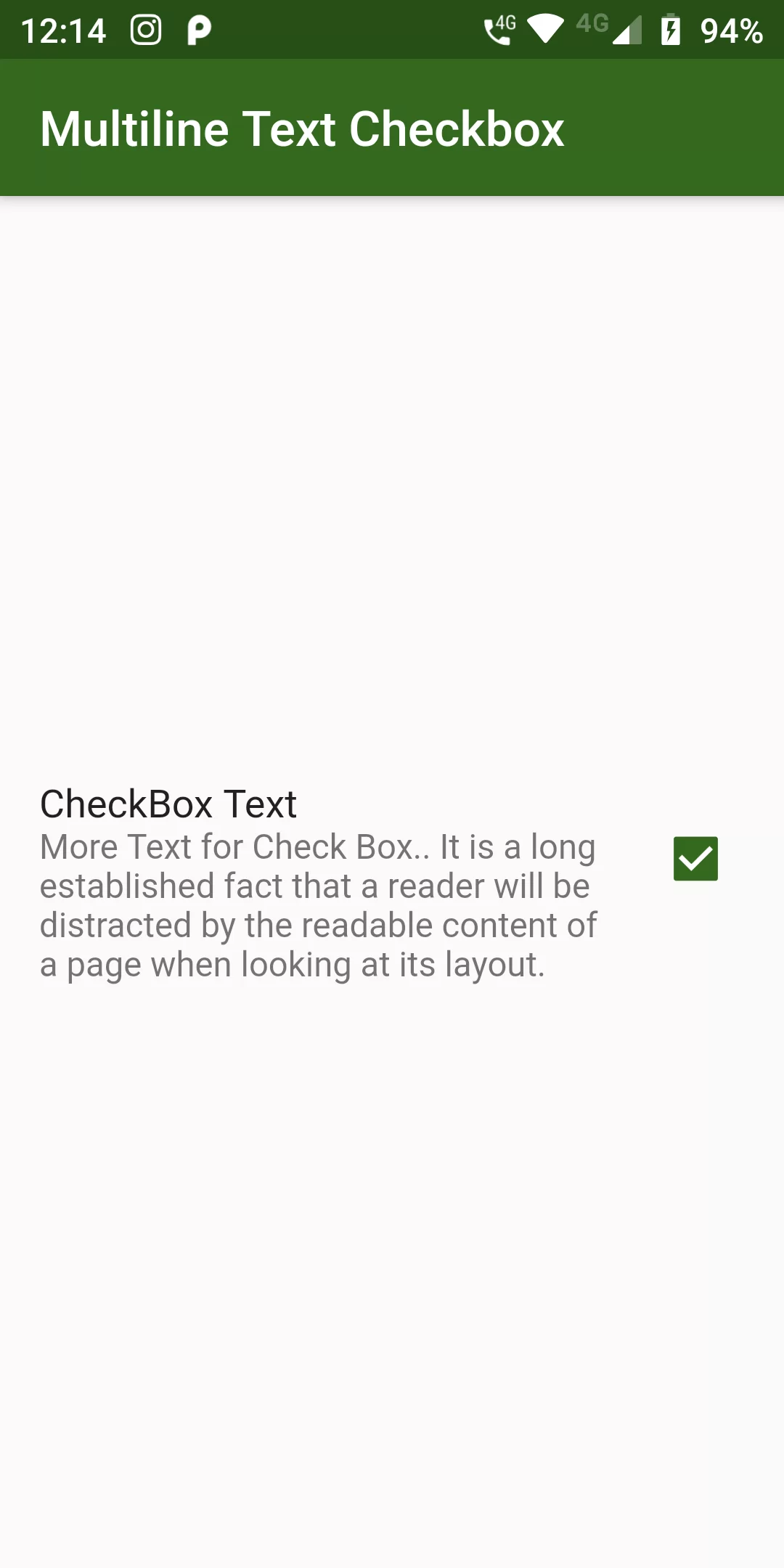
Multiline Text Checkbox
Complete Code For Multiline Text Checkbox In Flutter
main.dart
import 'package:flutter/material.dart';

void main(){
  runApp(MyApp());
}

class MyApp extends StatelessWidget {
  @override
  Widget build(BuildContext context) {
    return MaterialApp(
      debugShowCheckedModeBanner: false,
      home: MyHomePage(),
    );
  }
}

class MyHomePage extends StatefulWidget {
  @override
  MyHomePageState createState() {
    return new MyHomePageState();
  }
}

class MyHomePageState extends State<MyHomePage> {
  bool _isChecked = true;
  @override
  Widget build(BuildContext context) {
    return Scaffold(
      appBar: AppBar(
        backgroundColor: Colors.lightGreen[900],
        title: Text("Multiline Text Checkbox"),
      ),
      body: Center(
        child: CheckboxListTile(
          value: _isChecked,
          activeColor: Colors.lightGreen[900],
          onChanged: (bool val) => setState(() => _isChecked = val),
          title: Text("CheckBox Text"),
          subtitle: Text("More Text for Check Box.. It is a long established fact that a reader will be distracted by the readable content of a page when looking at its layout. "),
          isThreeLine: true,
        ),
      ),
    );
  }
}