
 Posted By
Bajarangi soft ,
Posted On 30-10-2020
Posted By
Bajarangi soft ,
Posted On 30-10-2020
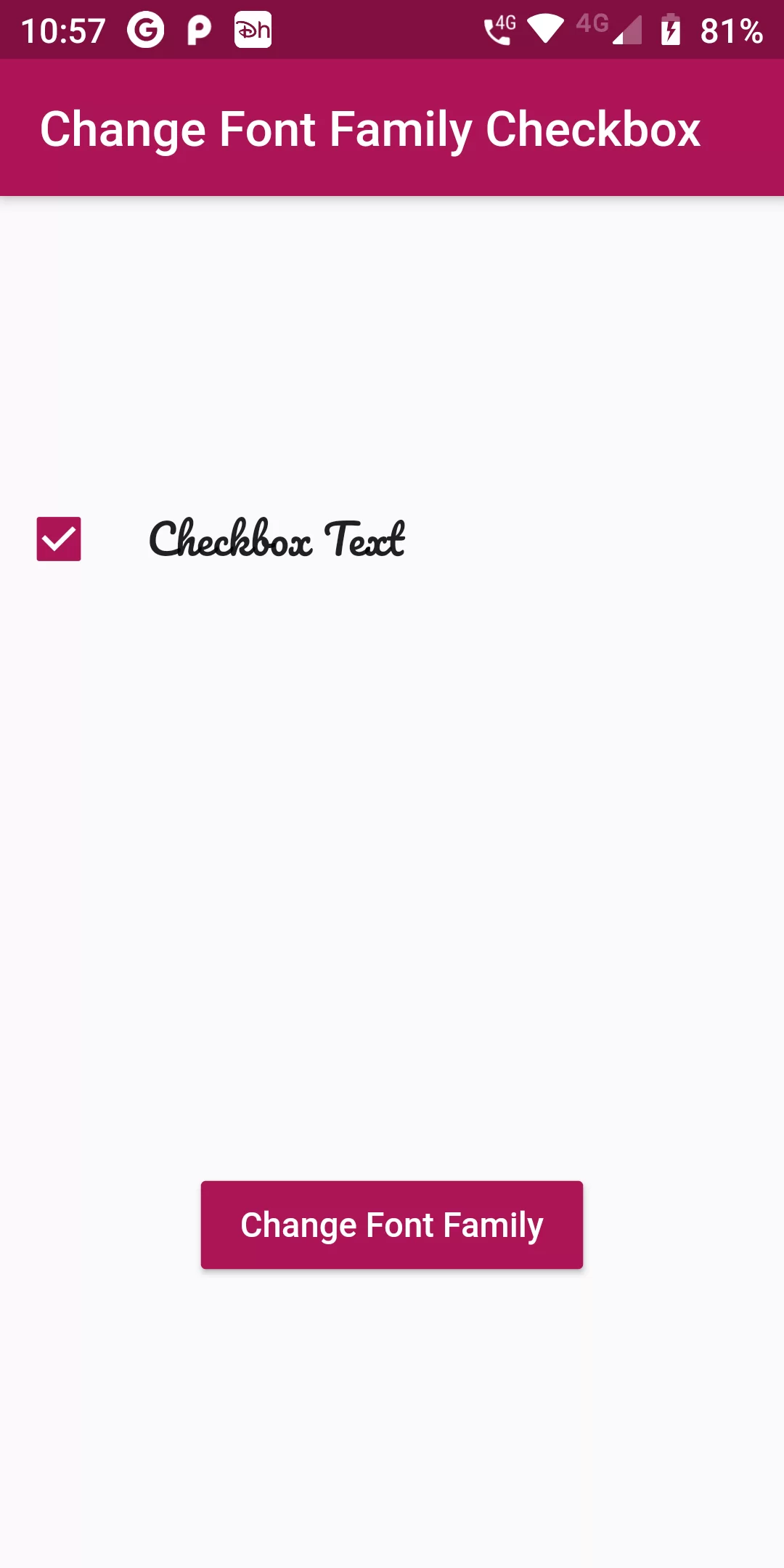
Change Checkbox Text Font
Step 1: Open Google Fonts and search for a font family in the search bar (here “Pacifico”,"Robot",etc.).
Step 2: Select the “Pacifico” font file.
Step 3: To download, click the “Download Family” button.
Step 4: Open file manager and go to downloads. Extract and open the “Pacifico” zip file.
Step 5: Move the “Pacifico Regular” file into this directory. After moving, the font directory contains a file named “Pacifico-Regular.ttf”.
Step 6:
We cannot directly remove the time stamp from Change Checkbox Text Font but using the intl.dart package we can easily filter the date stamp from time stamp. So open your flutter project’s pubspec.yaml in code
assets:
  - assets/fonts/
fonts:
  - family: Pacifico
    fonts:
      - asset: assets/fonts/Pacifico-Regular.ttf
  - family: Pacifico
    fonts:
      - asset: assets/fonts/MontserratSubrayada-Regular.ttf
  - family: Pacifico
    fonts:
      - asset: assets/fonts/FredokaOne-Regular.ttf
flutter pub get
import 'package:flutter/material.dart';

void main(){
  runApp(MyApp());
}

class MyApp extends StatelessWidget {
  @override
  Widget build(BuildContext context) {
    return MaterialApp(
      debugShowCheckedModeBanner: false,
      home: MyHomePage(),
    );
  }
}

class MyHomePage extends StatefulWidget {
  @override
  MyHomePageState createState() {
    return new MyHomePageState();
  }
}

class MyHomePageState extends State<MyHomePage> {
  bool _isChecked = true;
  List<String> _fontFamilies = [
    "Fredoka_One",
    "Montserrat_subrayada",
    "Pacifico",
  ];
  int _currentIndex = 0;
  _onChanged() {
    int _fontfamilyCount = _fontFamilies.length;
    setState(() {
      if (_currentIndex == _fontfamilyCount - 1) {
        _currentIndex = 0;
      } else {
        _currentIndex += 1;
      }
    });
  }

  @override
  Widget build(BuildContext context) {
    return Scaffold(
      appBar: AppBar(
        backgroundColor: Colors.pink[800],
        title: Text("Change Font Family Checkbox"),
      ),
      body: Column(
        children: <Widget>[
          Expanded(
            child: Center(
              child: Row(
                children: <Widget>[
                  Checkbox(
                    activeColor: Colors.pink[800],
                    value: _isChecked,
                    onChanged: (bool val) => setState(() => _isChecked = val),
                  ),
                  SizedBox(width: 12.0),
                  Text("Checkbox Text",
                      style: TextStyle(
                          fontFamily: _fontFamilies[_currentIndex],
                          fontSize: 17.0)),
                ],
              ),
            ),
          ),
          Expanded(
            child: Center(
              child: RaisedButton(
                onPressed: _onChanged,
                child: Text("Change Font Family",style: TextStyle(color: Colors.white),),
                color: Colors.pink[800],
              ),
            ),
          ),
        ],
      ),
    );
  }
}