
 Posted By
Bajarangi soft ,
Posted On 12-10-2020
Posted By
Bajarangi soft ,
Posted On 12-10-2020
1.How To Align Header With Wrapper In Html and Css
Syntax:
<div class="wrapper">
    content...
</div>
<!DOCTYPE html>
<html lang="en">

<head>
    <title>
        How to align header with
        wrapper in Bootstrap?
    </title>

    <style type="text/css">
        .wrapper {
            width: 500px;
            margin: 0 auto;
        }
    </style>
</head>

<body>
<div class="wrapper">
    <h1 style="color: #d52b26">
     bajarangi soft
    </h1>
    Piece of text inside a 500px
    width div centered on the page
</div>
</body>

</html>
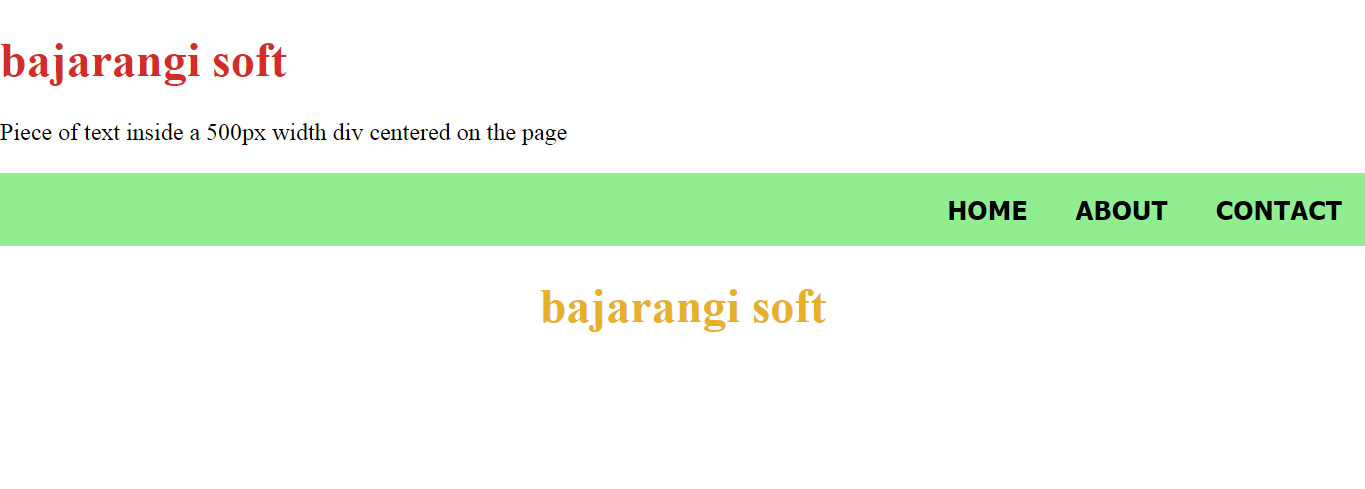
How this works: Create a wrapper and assign it a certain width. Apply an automatic horizontal margin to it by using margin: auto or margin-left: auto or margin-right: auto property. Make sure your content will be centered.
There are three methods to align header with wrapper that are discussed below:
Method 1: Align header with the wrapper in CSS.
Example: HTML Code
<!DOCTYPE html>
<html lang="en">

<head>
    <title>
        Bootstrap 4 Align Header
        with Wrapper
    </title>

    <style type="text/css">

        /* Fit the body to the
        edges of the screen */
        body {
            margin: 0;
            padding: 0;
        }

        nav {
            width: 100%;
            background: lightgreen;
            font-size: 1.1rem !important;
            font-weight: bold;
            text-transform: uppercase !important;
            color: black !important;
            font-family: tahoma;
            padding: 0;
            margin: 0;
        }

        /* The centered wrapper, all other
        content divs will go interior
        and this will never surpass the
        width of 960px. */
        .wrapper {
            width: 960px;
            max-width: 100%;
            margin: 0 auto;
        }

        ul {
            list-style-type: none;
            margin: 0;
            padding: 0;
            overflow: hidden;
        }

        li {
            float: right;
        }

        li a {
            display: block;
            color: black;
            text-align: center;
            padding: 14px 16px;
            text-decoration: none;
        }
    </style>
</head>

<body>
<header>
    <nav>
        <div class="wrapper">
            <ul>
                <li><a href="#contact">
                    Contact
                </a></li>

                <li><a href="#about">
                    About
                </a></li>

                <li><a class="active"
                       href="#home">Home
                </a></li>
            </ul>
        </div>
    </nav>
</header>

<center>
    <h1 style="color: #e7b126">
       bajarangi soft
    </h1>
</center>
</body>

</html>