
 Posted By
Bajarangi soft ,
Posted On 06-11-2020
Posted By
Bajarangi soft ,
Posted On 06-11-2020
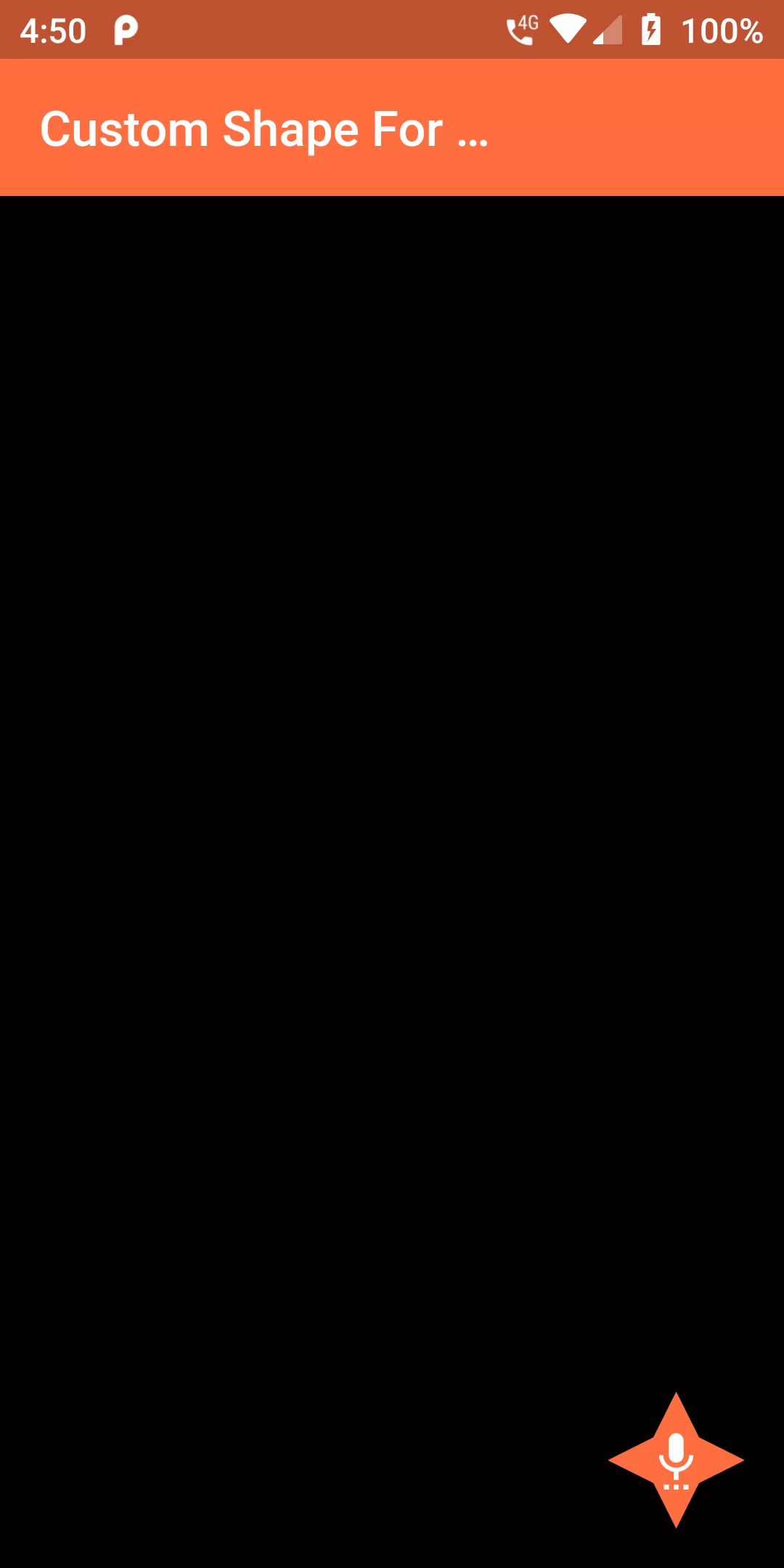
Custom Shape For Floating Action Button
Complete Code For Custom Shape For Floating Action Button In Flutter
main.dart
import 'package:flutter/material.dart';

void main() {
  runApp(MaterialApp(
    debugShowCheckedModeBanner: false,
    home: MyApp(),
  ));
}

class MyApp extends StatefulWidget {
  @override
  _MyAppState createState() => _MyAppState();
}

class _MyAppState extends State<MyApp> {

  @override
  Widget build(BuildContext context) {
    return Scaffold(
      backgroundColor: Colors.black,
      appBar: AppBar(
        backgroundColor: Colors.deepOrangeAccent,
        title: new Text(
            "Custom Shape For FLoatingAction Button"),
      ),
      floatingActionButton: FloatingActionButton(
        backgroundColor: Colors.deepOrangeAccent,
        onPressed: (){},
        child: Icon(Icons.settings_voice),
        shape: _CustomBorder(),
      ),
    );
  }
}


class _CustomBorder extends ShapeBorder {
  const _CustomBorder();

  @override
  EdgeInsetsGeometry get dimensions {
    return const EdgeInsets.only();
  }

  @override
  Path getInnerPath(Rect rect, { TextDirection textDirection }) {
    return getOuterPath(rect, textDirection: textDirection);
  }

  @override
  Path getOuterPath(Rect rect, { TextDirection textDirection }) {
    return Path()
      ..moveTo(rect.left + rect.width / 2.0, rect.top)
      ..lineTo(rect.right - rect.width / 3, rect.top + rect.height / 3)
      ..lineTo(rect.right, rect.top + rect.height / 2.0)
      ..lineTo(rect.right - rect.width / 3, rect.top + 2*rect.height / 3)
      ..lineTo(rect.left + rect.width  / 2.0, rect.bottom)
      ..lineTo(rect.left + rect.width / 3, rect.top + 2*rect.height / 3)
      ..lineTo(rect.left, rect.top + rect.height / 2.0)
      ..lineTo(rect.left + rect.width / 3, rect.top + rect.height / 3)
      ..close();
  }

  @override
  void paint(Canvas canvas, Rect rect, { TextDirection textDirection }) {}

  // This border doesn't support scaling.
  @override
  ShapeBorder scale(double t) {
    return null;
  }
}