
 Posted By
Bajarangi soft ,
Posted On 10-10-2020
Posted By
Bajarangi soft ,
Posted On 10-10-2020
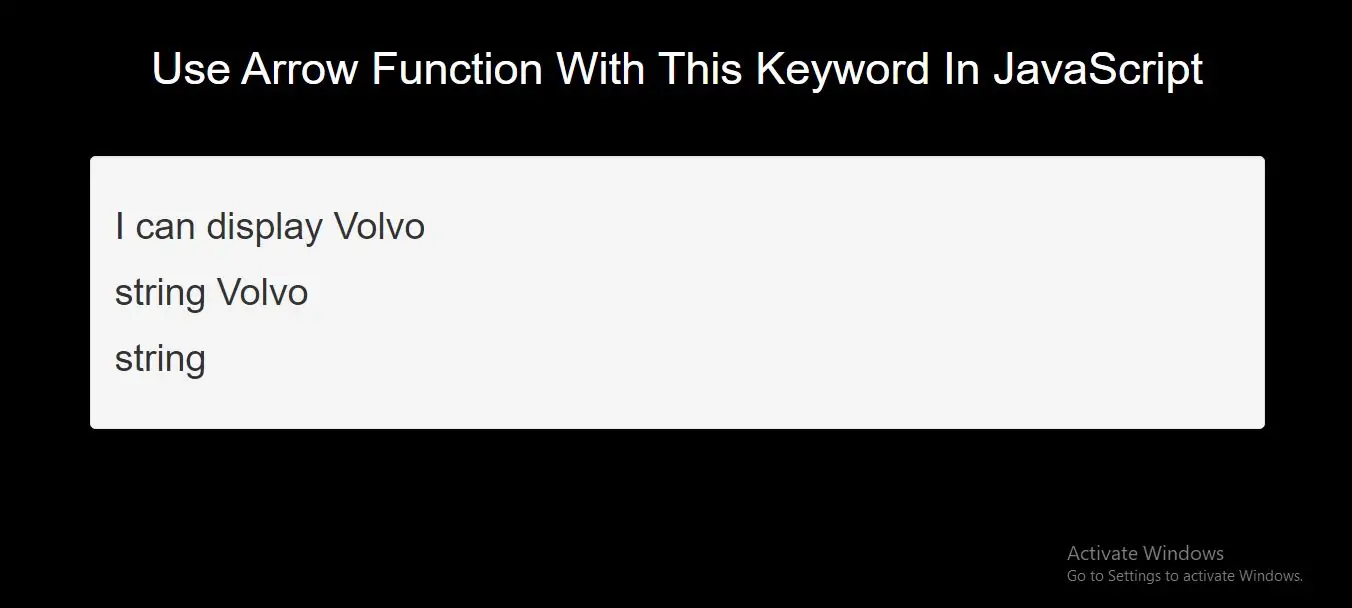
Global Scope:Variables declared Globally (outside any function) have Global Scope.
Example(1)
<script>
    var carName = "Volvo";
    myFunction();

    function myFunction() {
        document.getElementById("demo").innerHTML = "I can display " + carName;
    }
</script>
Global variables can be accessed from anywhere in a JavaScript program.
Function ScopeVariables declared Locally (inside a function) have Function Scope.
Example(2)
<p id="demo1"></p>

<p id="demo2"></p>

<script>
    myFunction();

    function myFunction() {
        var carName = "Volvo";
        document.getElementById("demo1").innerHTML = typeof carName + " " + carName;
    }
    document.getElementById("demo2").innerHTML = typeof carName;
</script>
Local variables can only be accessed from inside the function where they are declared.
JavaScript Block Scope
Variables declared with the var keyword cannot have Block Scope.
Variables declared inside a block {} can be accessed from outside the block.
Example(3)
{
var x = 2;
}
// x CAN be used here
Before ES2015 JavaScript did not have Block Scope.
Variables declared with the let keyword can have Block Scope.
Variables declared inside a block {} cannot be accessed from outside the block:
{
let x = 2;
}
// x can NOT be used here
Redeclaring Variables
Redeclaring a variable using the var keyword can impose problems.
Redeclaring a variable inside a block will also redeclare the variable outside the block:
Example(5)
<p id="demo"></p>

<script>
    var  x = 10;
    // Here x is 10
    {
        var x = 2;
        // Here x is 2
    }
    // Here x is 2
    document.getElementById("demo").innerHTML = x;
</script>
Redeclaring a variable using the let keyword can solve this problem.
Redeclaring a variable inside a block will not redeclare the variable outside the block:
Example(6)
<p id="demo"></p>

<script>
    var  x = 10;
    // Here x is 10
    {
        let x = 2;
        // Here x is 2
    }
    // Here x is 10
    document.getElementById("demo").innerHTML = x;
</script>
<!DOCTYPE html>
<html>
<head>
    <title>How To Use Arrow Function With This Keyword In JavaScript</title>
    <meta charset="utf-8">
    <meta name="viewport" content="width=device-width, initial-scale=1">
    <link rel="stylesheet" href="https://maxcdn.bootstrapcdn.com/bootstrap/3.4.1/css/bootstrap.min.css">
</head>
<style>
    body{
        background: black;
    }
</style>
<body>
<div class="container">
    <br>
    <div class="text-center">
        <h1 id="color" style="color: White">Use Arrow Function With This Keyword In JavaScript</h1>
    </div>
<br>
<br>

    <div class="well">
        <h2 id="demo1"></h2>
        <h2 id="demo2"></h2>
        <h2 id="demo3"></h2>
        <h2 id="demo4"></h2>

        <script>
            // GLOBAL scope example
            var carName = "Volvo";
            global_function();

            function global_function() {
                document.getElementById("demo1").innerHTML = "I can display " + carName;
            }
            myFunction();

            function myFunction() {
                var carName = "Volvo";
                document.getElementById("demo2").innerHTML = typeof carName + " " + carName;
            }
            document.getElementById("demo3").innerHTML = typeof carName;
        </script>

    </div>
</div>
</body>
</html>