
 Posted By
Bajarangi soft ,
Posted On 30-10-2020
Posted By
Bajarangi soft ,
Posted On 30-10-2020
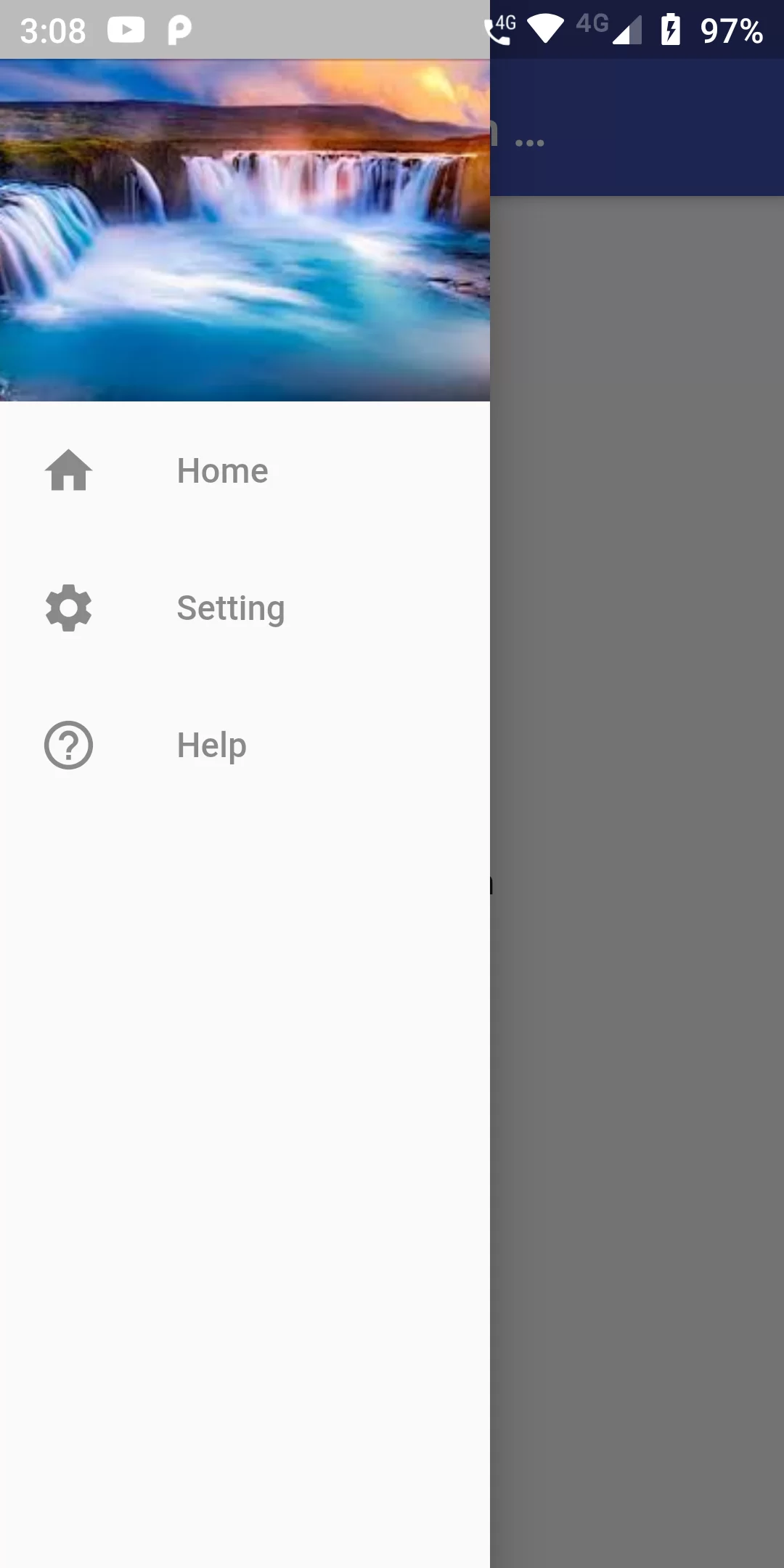
Show Image In Navigation Drawer
Complete Code For Show Image In Navigation Drawer In Flutter
main.dart
import 'package:flutter/material.dart';

void main(){
  runApp(MyApp());
}

class MyApp extends StatelessWidget {
  // This widget is the root of your application.
  @override
  Widget build(BuildContext context) {
    return MaterialApp(
      debugShowCheckedModeBanner: false,
      home: MyHomePage(),
    );
  }
}

class MyHomePage extends StatefulWidget {
  @override
  _MyHomePageState createState() => _MyHomePageState();
}

class _MyHomePageState extends State<MyHomePage> {
  @override
  Widget build(BuildContext context) {
    return Scaffold(
      appBar: AppBar(
        backgroundColor: Colors.indigo,
        title: Text("Show Image In Navigation Drawer"),
      ),
      drawer: Container(
        width: 200,
        child: Drawer(
          child: ListView(
            children: <Widget>[
              Container(
                height: 140,
                decoration: BoxDecoration(
                    image: DecorationImage(
                      image: NetworkImage('https://encrypted-tbn0.gstatic.com/images?q=tbn%3AANd9GcQ0JhaimSD1ayvA9vffVRcueFMd8MqD5cJH9A&usqp=CAU'),
                      fit: BoxFit.cover,
                    )),
              ),
              ListTile(
                leading: Icon(Icons.home, color: Colors.black45,),
                title: Text('Home',style: TextStyle(color: Colors.black45),),
              ),
              ListTile(
                leading: Icon(Icons.settings, color: Colors.black45,),
                title: Text('Setting',style: TextStyle(color: Colors.black45),),
              ),
              ListTile(
                leading: Icon(Icons.help_outline, color: Colors.black45,),
                title: Text('Help',style: TextStyle(color: Colors.black45),),
              ),
            ],
          ),
        ),
      ),
      body: Center(
        child: Text("Home Screen"),
      ),
    );
  }
}