
 Posted By
Bajarangi soft ,
Posted On 08-10-2020
Posted By
Bajarangi soft ,
Posted On 08-10-2020
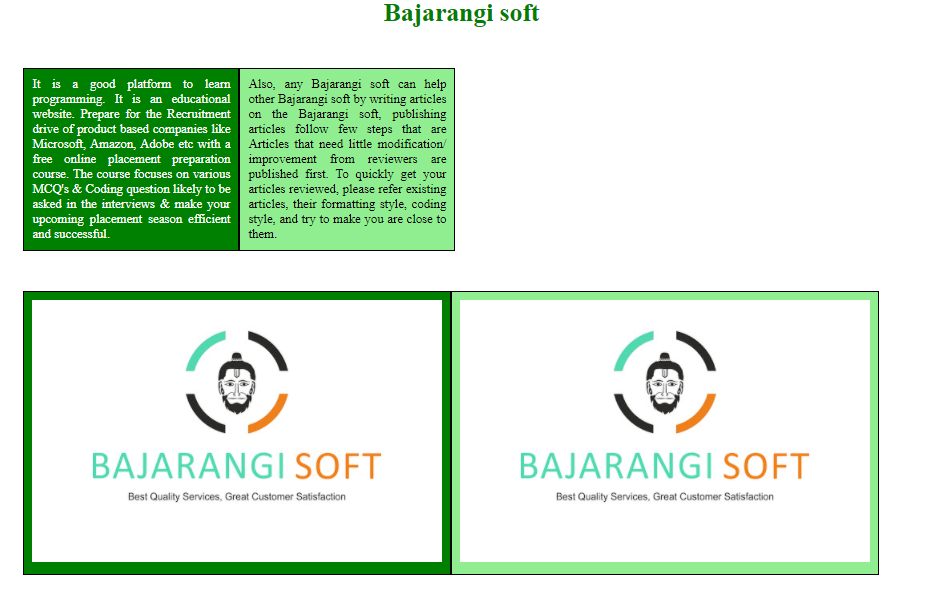
The used display property are listed below:
<!DOCTYPE html>
<html>
<head>
    <style>
        h1 {
            text-align:center;
            color:green;
        }
        body {
            width:70%;
        }
        .container .box {
            width:540px;
            margin:50px;
            display:table;
        }
        .container .box .box-row {
            display:table-row;
        }
        .container .box .box-cell {
            display:table-cell;
            width:50%;
            padding:10px;
        }
        .container .box .box-cell.box1 {
            background:green;
            color:white;
            text-align:justify;
        }
        .container .box .box-cell.box2 {
            background:lightgreen;
            text-align:justify
        }
    </style>
</head>
<body>
<h1> Bajarangi soft</h1>
<div class="container">
    <div class="box">
        <div class="box-row">
            <div class="box-cell box1">
                It is a good platform to learn programming. It is an
                educational website. Prepare for the Recruitment drive
                of product based companies like Microsoft, Amazon,
                Adobe etc with a free online placement preparation
                course. The course focuses on various MCQ's & Coding
                question likely to be asked in the interviews & make
                your upcoming placement season efficient and successful.
            </div>
            <div class="box-cell box2">
                Also, any  Bajarangi soft can help other  Bajarangi soft by writing articles
                on the Bajarangi soft, publishing articles follow few
                steps that are Articles that need little modification/
                improvement from reviewers are published first. To
                quickly get your articles reviewed, please refer
                existing articles, their formatting style, coding
                style, and try to make you are close to them.
            </div>
        </div>
    </div>
</div>
</body>
</html>
<!DOCTYPE html>
<html>
<head>
    <style>
        .container .box {
            width:540px;
            margin:50px;
            display:table;
        }
        .container .box .box-row {
            display:table-row;
        }
        .container .box .box-cell {
            display:table-cell;
            border:1px solid black;
            width:25%;
            padding:10px;
        }
    </style>
</head>
<body>
<div class="container">
    <div class="box">
        <div class="box-row">
            <div class="box-cell box1">
                <img src=
                             "logo.jpg" alt="" />
            </div>
            <div class="box-cell box2">
                <img src=
                             "logo.jpg" alt="" />
            </div>
            <div class="box-cell box3">
                <img src=
                             "logo.jpg" alt="" />
            </div>
            <div class="box-cell box4">
                <img src=
                             "logo.jpg" alt="" />
            </div>
        </div>
    </div>
</div>
</body>
</html>