
 Posted By
Bajarangi soft ,
Posted On 30-09-2020
Posted By
Bajarangi soft ,
Posted On 30-09-2020
1.Add Link To The Text using Css
<!DOCTYPE html>
<html>
<head>
    <style>
        /* unvisited link */
        a:link {
            color: red;
        }

        /* visited link */
        a:visited {
            color: green;
        }

        /* mouse over link */
        a:hover {
            color: hotpink;
        }

        /* selected link */
        a:active {
            color: blue;
        }
    </style>
</head>
<body>

<p><b><a href="default.asp" target="_blank">This is a link</a></b></p>
<p><b>Note:</b> a:hover MUST come after a:link and a:visited in the CSS definition in order to be effective.</p>
<p><b>Note:</b> a:active MUST come after a:hover in the CSS definition in order to be effective.</p>

</body>
</html>
<!DOCTYPE html>
<html>
<head>
    <style>
        /* unvisited link */
        a:link, a:visited {
            background-color: #f44336;
            color: white;
            padding: 14px 25px;
            text-align: center;
            text-decoration: none;
            display: inline-block;
        }


        a:hover, a:active {
            background-color: red;
        }
        }
    </style>
</head>
<body>

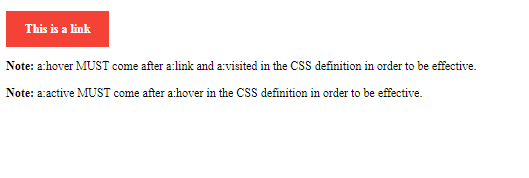
<p><b><a href="default.asp" target="_blank">This is a link</a></b></p>
<p><b>Note:</b> a:hover MUST come after a:link and a:visited in the CSS definition in order to be effective.</p>
<p><b>Note:</b> a:active MUST come after a:hover in the CSS definition in order to be effective.</p>

</body>
</html>