
 Posted By
Bajarangi soft ,
Posted On 30-09-2020
Posted By
Bajarangi soft ,
Posted On 30-09-2020
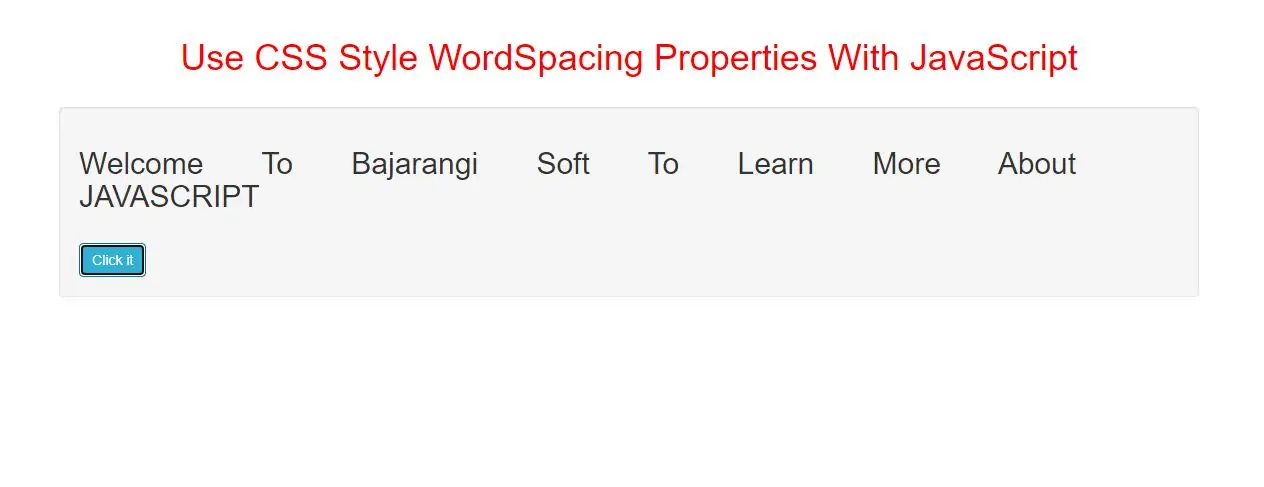
The wordSpacing property sets or returns the spacing between words in a text.
To set or return the spacing between characters in a text, use the letterSpacing property.
Syntax and Usage
Return the wordSpacing property:
object.style.wordSpacing

Set the wordSpacing property:
object.style.wordSpacing = "normal|length|initial|inherit"
Property Values
| Value | Description |
|---|---|
| normal | Defines normal spacing between words. This is default |
| length | Specifies the space between words in length units. Negative values are allowed |
| initial | Sets this property to its default value. |
| inherit | Inherits this property from its parent element. |
Return Value: A String, representing the space between words in the text.
Example(1)
<h2 id="h2">Welcome To Bajarangi Soft To Learn More About JAVASCRIPT</h2>
<br>
<button class="btn btn-info" onclick="space_function()">Click it</button>
<script>
    function space_function() {
        document.getElementById("h2").style.wordSpacing = "50px";
    }
</script>
In above example when you click button it will return 50px space between words or texts.
Example(2)
<h2 id="h2">This is an example paragraph.</h2>

<button type="button" onclick="remove_space()">Set word spacing</button>

<script>
    function remove_space() {
        document.getElementById("h2").style.wordSpacing = "-3px";
    }
</script>
In above example when you click button it will return -3px to remove space between words or texts.
Example(3)
<h2 id="demo1">This is an example paragraph.</h2>
<h2 id="demo2">This is an example paragraph.</h2>

<button class="btn btn-primary" type="button" onclick="changeLetters()">Set letter spacing</button>
<button class="btn btn-primary" type="button" onclick="changeWords()">Set word spacing</button>

<script>
    function changeLetters() {
        document.getElementById("demo1").style.letterSpacing = "15px";
    }

    function changeWords() {
        document.getElementById("demo2").style.wordSpacing = "15px";
    }
</script>
In above example when you click button it will retrun 15px space between letters and also words .
Complete Code For CSS Style WordSpacing Properties With JavaScript.
<!DOCTYPE html>
<html>
<head>
    <title>How To Use CSS Style WordSpacing Properties With JavaScript</title>
    <meta charset="utf-8">
    <meta name="viewport" content="width=device-width, initial-scale=1">
    <link rel="stylesheet" href="https://maxcdn.bootstrapcdn.com/bootstrap/3.4.1/css/bootstrap.min.css">
</head>
<style>
    h1 {
        color: red;
    }
</style>

<body>
<div class="container">
    <br>
    <div class="text-center">
        <h1> Use CSS Style WordSpacing Properties With JavaScript</h1>
    </div>
    <br>
    <div class="well">
        <h2 id="h2">Welcome To Bajarangi Soft To Learn More About JAVASCRIPT</h2>
        <br>
        <button class="btn btn-info" onclick="space_function()">Click it</button>
    </div>
</body>
</html>
<script>
    function space_function() {
        document.getElementById("h2").style.wordSpacing = "50px";
    }
</script>