
 Posted By
Bajarangi soft ,
Posted On 05-10-2020
Posted By
Bajarangi soft ,
Posted On 05-10-2020
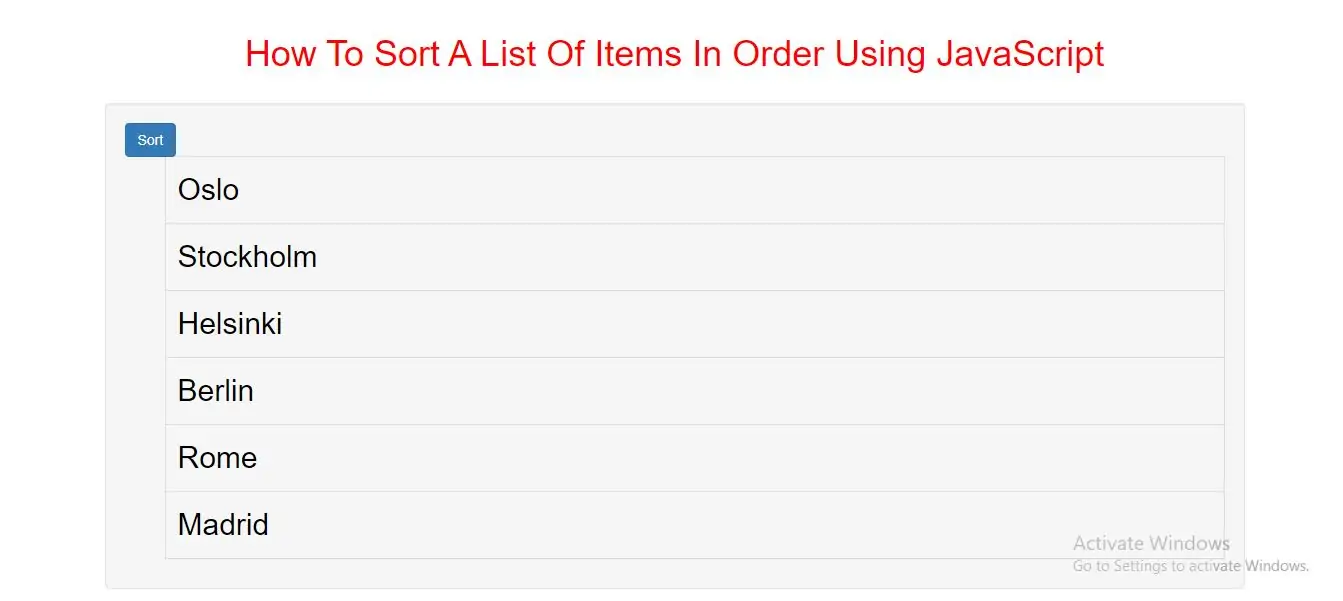
Creating a Sort Function
Step 1: Create index.html file and implement below code in it.
<button class="btn btn-primary " onclick="sortList()">Sort</button>
<ul id="id01">
    <li>Oslo</li>
    <li>Stockholm</li>
    <li>Helsinki</li>
    <li>Berlin</li>
    <li>Rome</li>
    <li>Madrid</li>
</ul>
Step 2:Now we create css code for list of items so implement below code in index.html file
<style>
    h1 {
        color: red;
    }
    * {
        box-sizing: border-box;
    }
    #id01 li  {
        border: 1px solid #ddd;
        margin-top: -1px; /* Prevent double borders */
        background-color: #f6f6f6;
        padding: 12px;
        text-decoration: none;
        font-size: 30px;
        color: black;
        display: block
    }

    #id01 li a:hover:not(.header) {
        background-color: #eee;
    }

</style>
Step 3:Now we implement javascript to sort data
<script>
    function sortList() {
        var list, i, switching, b, shouldSwitch;
        list = document.getElementById("id01");
        switching = true;
        /* Make a loop that will continue until
        no switching has been done: */
        while (switching) {
            // start by saying: no switching is done:
            switching = false;
            b = list.getElementsByTagName("LI");
            // Loop through all list-items:
            for (i = 0; i < (b.length - 1); i++) {
                // start by saying there should be no switching:
                shouldSwitch = false;
                /* check if the next item should
                switch place with the current item: */
                if (b[i].innerHTML.toLowerCase() > b[i + 1].innerHTML.toLowerCase()) {
                    /* if next item is alphabetically
                    lower than current item, mark as a switch
                    and break the loop: */
                    shouldSwitch = true;
                    break;
                }
            }
            if (shouldSwitch) {
                /* If a switch has been marked, make the switch
                and mark the switch as done: */
                b[i].parentNode.insertBefore(b[i + 1], b[i]);
                switching = true;
            }
        }
    }
</script>
<!DOCTYPE html>
<html>
<head>
    <title> How To Sort A List Of Items In Order Using JavaScript</title>
    <meta charset="utf-8">
    <meta name="viewport" content="width=device-width, initial-scale=1">
    <link rel="stylesheet" href="https://maxcdn.bootstrapcdn.com/bootstrap/3.4.1/css/bootstrap.min.css">
</head>
<style>
    h1 {
        color: red;
    }
    * {
        box-sizing: border-box;
    }
    #id01 li {
        border: 1px solid #ddd;
        margin-top: -1px; /* Prevent double borders */
        background-color: #f6f6f6;
        padding: 12px;
        text-decoration: none;
        font-size: 30px;
        color: black;
        display: block
    }
    #id01 li a:hover:not(.header) {
        background-color: #eee;
    }
</style>
<body>
<div class="container">
    <br>
    <br>
    <div class="text-center">
        <h1> How To Sort A List Of Items In Order Using JavaScript</h1>
    </div>
    <br>
    <div class="well">
        <button class="btn btn-primary " onclick="sortList()">Sort</button>
        <ul id="id01">
            <li>Oslo</li>
            <li>Stockholm</li>
            <li>Helsinki</li>
            <li>Berlin</li>
            <li>Rome</li>
            <li>Madrid</li>
        </ul>
    </div>
    <div>
</body>
</html>
<script>
    function sortList() {
        var list, i, switching, b, shouldSwitch;
        list = document.getElementById("id01");
        switching = true;
        /* Make a loop that will continue until
        no switching has been done: */
        while (switching) {
            // start by saying: no switching is done:
            switching = false;
            b = list.getElementsByTagName("LI");
            // Loop through all list-items:
            for (i = 0; i < (b.length - 1); i++) {
                // start by saying there should be no switching:
                shouldSwitch = false;
                /* check if the next item should
                switch place with the current item: */
                if (b[i].innerHTML.toLowerCase() > b[i + 1].innerHTML.toLowerCase()) {
                    /* if next item is alphabetically
                    lower than current item, mark as a switch
                    and break the loop: */
                    shouldSwitch = true;
                    break;
                }
            }
            if (shouldSwitch) {
                /* If a switch has been marked, make the switch
                and mark the switch as done: */
                b[i].parentNode.insertBefore(b[i + 1], b[i]);
                switching = true;
            }
        }
    }
</script>