
 Posted By
Bajarangi soft ,
Posted On 08-10-2020
Posted By
Bajarangi soft ,
Posted On 08-10-2020
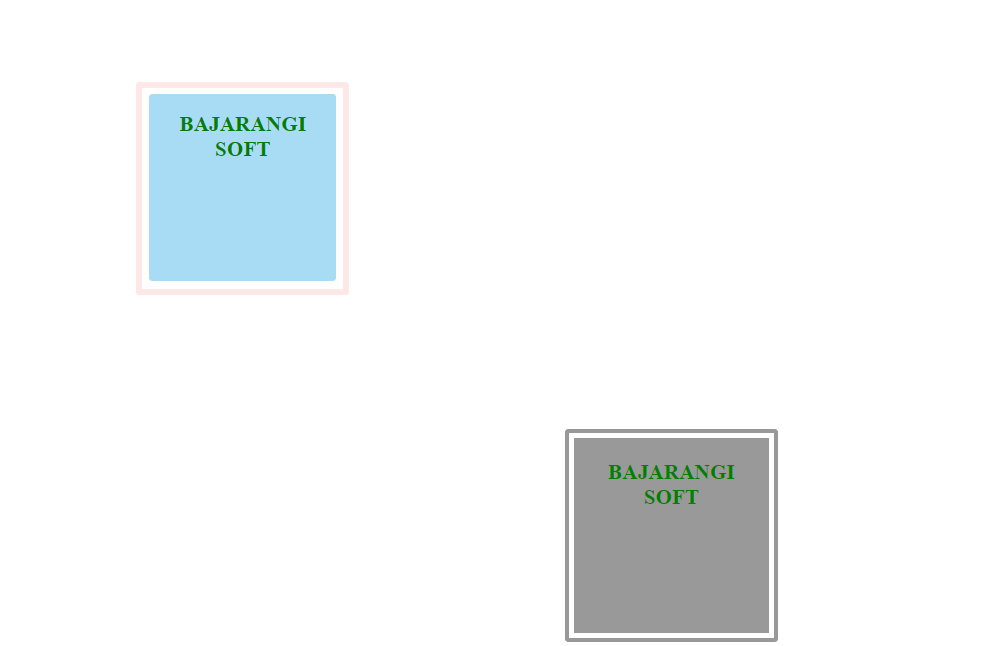
The steps to create this are:
Step 1: Create a nested div tag.
Step 2: Specify the outer div tag’s border-style to be solid and the border-width property can be of any desired size.
Step 3: The size of the inner div tag is made smaller than the outer div tag.
Example 1:
Create a transparent border in CSS using the above approach.
<!DOCTYPE html>
<html>

<head>
    <style type="text/css">
        h1 {
            color: #8d20db;
        }

        .outer {
            width: 300px;
            height: 300px;
            margin: 10%;
            border: 10px solid rgba(253, 196, 196, 0.4);
            border-radius: 5px;
        }

        .inner {
            width: 270px;
            height: 270px;
            margin: auto;
            margin-top: 3%;
            text-align: center;
            background: rgba(35, 167, 227, 0.4);
            border-radius: 5px;
            padding: 5px;
        }
    </style>
</head>

<body>
<div class="outer">
    <div class="inner">
        <h1>BAJARANGI SOFT</h1>
    </div>
</div>
</body>

</html>
<!DOCTYPE html>
<html>

<head>
    <style type="text/css">
        h1 {
            color: green;
        }

        .trans_border {
            width: 270px;
            height: 270px;
            margin: auto;
            margin-top: 3%;
            text-align: center;
            border: 20px double rgba(0, 0, 0, .4);
            background: rgba(0, 0, 0, .4);
            background-clip: padding-box;
            border-radius: 5px;
            padding: 5px;
        }
    </style>
</head>

<body>
<div class="trans_border">
    <h1>BAJARANGI SOFT</h1>
</div>
</body>

</html>