
 Posted By
Bajarangi soft ,
Posted On 08-10-2020
Posted By
Bajarangi soft ,
Posted On 08-10-2020
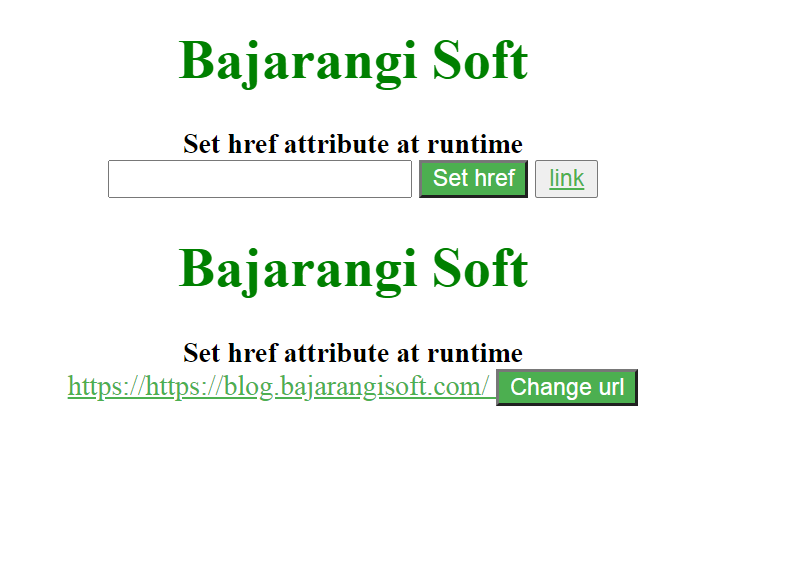
Example 1:
In this example, using jquery, we set the attr() method to the url entered by the user in the input tag, when user clicks the set href buton.
<!DOCTYPE html>
<html lang="en">
<head>
    <title>Set href attribute at runtime</title>
    <meta charset="UTF-8" />
    <meta name="viewport" content="width=device-width, initial-scale=1.0" />
    <meta http-equiv="X-UA-Compatible" content="ie=edge" />
    <script src="https://code.jquery.com/jquery-2.1.1.min.js"></script>

    <style>
        #btn {
            background-color: #4caf50;
            color: white;
        }
        input {
            color: #4caf50;
        }
        a {
            color: #4caf50;
        }
        h1 {
            color: green;
        }
    </style>
</head>
<body>
<center>
    <h1>Bajarangi Soft</h1>
    <b>Set href attribute at runtime</b>
    <br>
    <input type="text" name="url" />
    <button id="btn">Set href</button>
    <button><a id="click" href="#" target="_blank">link</a></button>
</center>
</body>

<script>
    $(document).ready(function () {
        $("#btn").click(function () {
            $("#click").attr("href",
                $('input[name$="url"]').val());
        });
    });
</script>
</html>
<!DOCTYPE html>
<html lang="en">
<head>
    <meta charset="UTF-8" />
    <meta name="viewport" content="width=device-width, initial-scale=1.0" />
    <meta http-equiv="X-UA-Compatible" content="ie=edge" />
    <script src="https://code.jquery.com/jquery-2.1.1.min.js"></script>
    <title>Set href attribute at runtime</title>
    <style>
        #btn {
            background-color: #4caf50;
            color: white;
        }
        input {
            color: #4caf50;
        }
        a {
            color: #4caf50;
        }
        h1 {
            color: green;
        }
    </style>
</head>
<body>
<center>
    <h1>Bajarangi Soft</h1>
    <b>Set href attribute at runtime</b>
    <br>
    <div id="link">
        <a id="click" href=
                "https://blog.bajarangisoft.com/blogs"
           target="_blank">
            https://https://blog.bajarangisoft.com/
        </a>
        <button id="btn">Change url</button>
    </div>
</center>
</body>

<script>
    $(document).ready(function () {
        $("#btn").click(function () {
            $("#link").html(
                "<a href='https://blog.bajarangisoft.com/blogs/'>
            https://blog.bajarangisoft.com/blogs/</a>");
                alert("Url changed to https://blog.bajarangisoft.com/blogs");
        });
    });
</script>
</html>