
 Posted By
Bajarangi soft ,
Posted On 17-09-2020
Posted By
Bajarangi soft ,
Posted On 17-09-2020
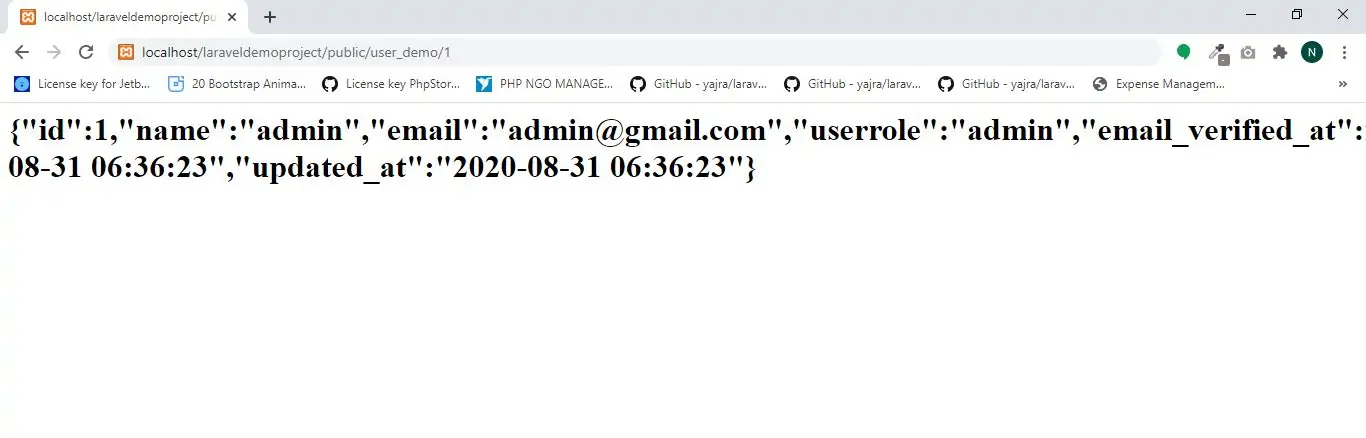
Defining Controllers
1.Create demoController using below command
php artisan make:controller demoController
Route::get('user_demo/{id}', 'demoController@show');
<?php

namespace App\Http\Controllers;

use Illuminate\Http\Request;
use App\User;

class demoController extends Controller
{
    public function show($id)
    {
        $user=User::findOrFail($id);
        return $user;
    }
}
middleware method.show method on the UserController class will be executed. The route parameters will also be passed to the method.Controllers are not required to extend a base class. However, you will not have access to convenience features such as the middleware, validate, and dispatch methods.
Controllers & Namespaces
It is very important to note that we did not need to specify the full controller namespace when defining the controller route. Since the RouteServiceProvider loads your route files within a route group that contains the namespace, we only specified the portion of the class name that comes after the App\Http\Controllers portion of the namespace.
If you choose to nest your controllers deeper into the App\Http\Controllers directory, use the specific class name relative to the App\Http\Controllers root namespace. So, if your full controller class is App\Http\Controllers\Photos\AdminController, you should register routes to the controller like so:
Route::get('foo', 'Photos\AdminController@method');
Single Action Controllers
If you would like to define a controller that only handles a single action, you may place a single __invoke method on the controller:
1.Create controller using below command
php artisan make:controller ShowProfile --invokable
2.Create route and implement code
Route::get('user_demo/{id}', 'ShowProfile');
3.Open ShowProfile controller and implement code as below
<?php

namespace App\Http\Controllers;

use App\Http\Controllers\Controller;
use App\User;

class ShowProfile extends Controller
{
    /**
     * Show the profile for the given user.
     *
     * @param  int  $id
     * @return View
     */
    public function __invoke($id)
    {
        $user=User::findOrFail($id);
        return $user;
    }
}