
 Posted By
Bajarangi soft ,
Posted On 13-10-2020
Posted By
Bajarangi soft ,
Posted On 13-10-2020
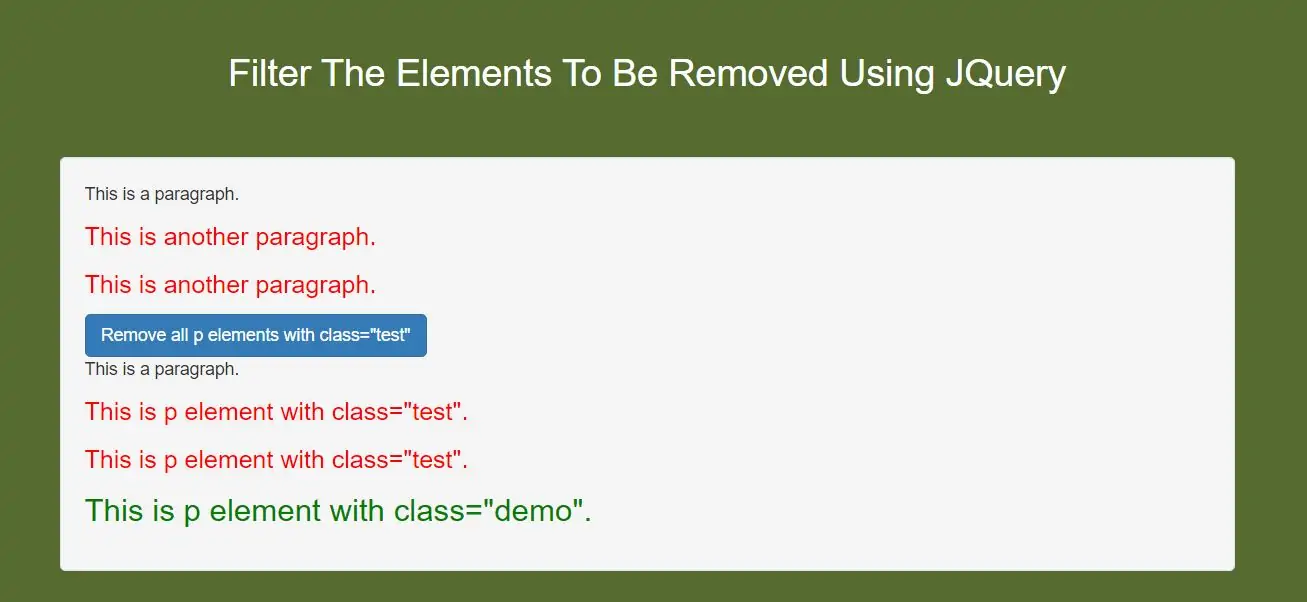
Step 1:Create index.html file and implement below code.
<p>This is a paragraph.</p>
<p class="test">This is another paragraph.</p>
<p class="test">This is another paragraph.</p>
<p>This is a paragraph.</p>
<p class="test">This is p element with class="test".</p>
<p class="test">This is p element with class="test".</p>
<p class="demo">This is p element with class="demo".</p>
<button class="btn btn-primary" >Remove all p elements with class="test"</button>
Step 2:Implement jquery to filter the elements to be removed.
<script>
    $(document).ready(function(){
        $("button").click(function(){
            $("p").remove(".test");
            // $("p").remove(".test, .demo");
        });
    });
</script>
<!DOCTYPE html>
<html>
<head>
    <title>How To Filter The Elements To Be Removed Using JQuery</title>
    <meta charset="utf-8">
    <meta name="viewport" content="width=device-width, initial-scale=1">
    <link rel="stylesheet" href="https://maxcdn.bootstrapcdn.com/bootstrap/3.4.1/css/bootstrap.min.css">
    <script src="https://ajax.googleapis.com/ajax/libs/jquery/3.5.1/jquery.min.js"></script>
</head>
<style>
    body {
        background: darkolivegreen;
    }

    .test {
        color: red;
        font-size: 20px;
    }
    .demo {
        color: green;
        font-size: 25px;
    }
</style>
<body>
<div class="container">
    <br><br><br>
    <div class="text-center">
        <h2 id="color" style="color: White">Filter The Elements To Be Removed Using JQuery</h2>
    </div>
    <br>
    <br>

    <div class="well">
        <p>This is a paragraph.</p>
        <p class="test">This is another paragraph.</p>
        <p class="test">This is another paragraph.</p>
        <p>This is a paragraph.</p>
        <p class="test">This is p element with class="test".</p>
        <p class="test">This is p element with class="test".</p>
        <p class="demo">This is p element with class="demo".</p>
        <button class="btn btn-primary" >Remove all p elements with class="test"</button>
    </div>

</div>
</body>
</html>
<script>
    $(document).ready(function(){
        $("button").click(function(){
            $("p").remove(".test");
            // $("p").remove(".test, .demo");
        });
    });
</script>